
Log in to DiscoveryEZ
- Open DiscoveryEZ.
- Enter your email and password.
- Click Login.
Go to the Google Drive section
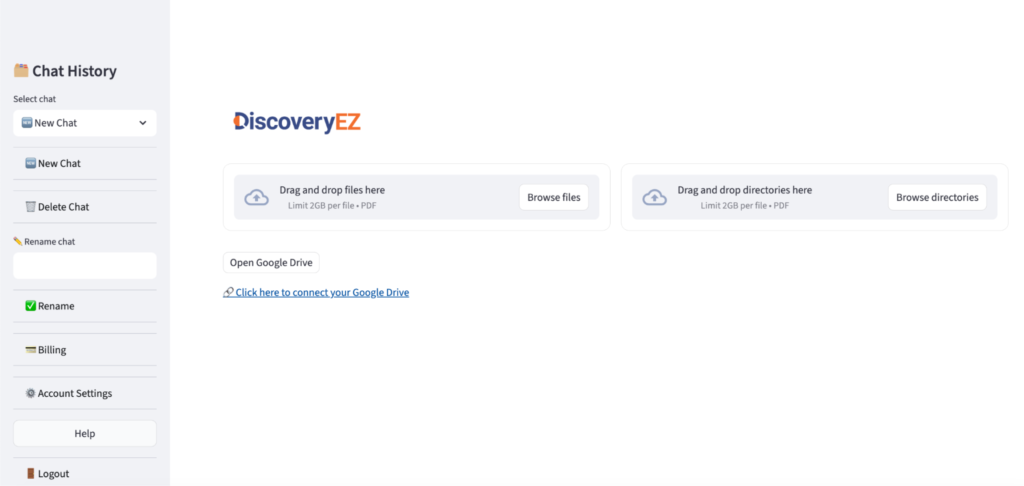
- Find the area for Open Google Drive account.

Start the connection
- Click “Click here to connect your Google Drive”
Sign in to your Google account
- A Google sign-in window will open.
- Enter your Google email and password.
- Click Allow to give DiscoveryEZ access to your Drive.
Finish the connection
- Once connected, DiscoveryEZ will now have access to your Google Drive files.

Use your Drive files in DiscoveryEZ
- Go back to the main screen.
- Click “Open Google Drive” and start selecting the files you want to use.
